
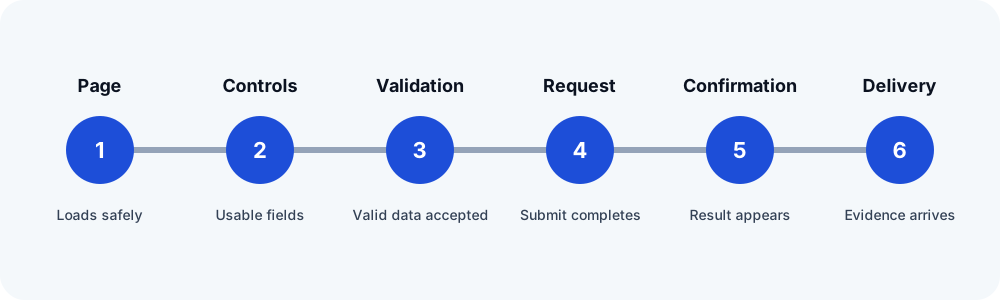
Start with the public submission
Submit authorized synthetic data and record the confirmation message, page, or redirect. Then look for the unique marker in Forms → Entries. If no entry exists, investigate the browser request, validation, spam decision, add-on behavior, server error, or form availability before changing email settings.
Review the notification event and routing
- Open Form Settings → Notifications and confirm the intended notification is enabled.
- Confirm its event is valid. An event supplied by a removed or inactive add-on cannot trigger normally.
- Check static recipients, field-based recipients, and routing conditions against the actual synthetic values.
- Use a site-domain authorized From Email and keep the visitor's address in Reply-To.
- Review conditional logic and merge tags for fields that were renamed or removed.
Read entry notes and logs carefully
Gravity Forms can add a sending-result note to an entry. A note that WordPress successfully passed the notification to the sending server supports the handoff; it does not prove final receipt. Other notes can identify mail-function initialization, SMTP connection, authentication, or provider data rejection. Enable official logging only for the investigation, protect log access, and remove or rotate logs according to the site's policy.
Check the delivery system
Gravity Forms uses WordPress mail handling unless an add-on or external service changes the path. Verify the SMTP or transactional provider, credentials, encryption and port, sender authorization, and relevant DNS authentication. Then correlate the same test marker at the configured destination. Do not infer delivery from the presence of an entry or confirmation alone.
Retest one change at a time
Use a new marker for every attempt. Preserve the entry note, redacted provider event, destination result, and last confirmed step. If a third-party add-on processes data asynchronously, include its feed and background-processing evidence rather than assuming the core notification represents the whole workflow.
Related FormRook guides
Official sources reviewed
Reviewed 2026-10-13. Confirm the current vendor guidance before changing a production site.