
Confirm that the form itself submits
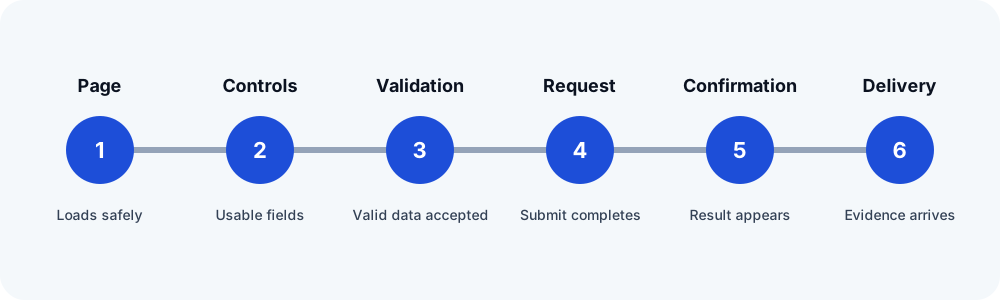
Use the public page with synthetic data and observe validation, the submit request, and the configured confirmation. If WPForms reports a submission error or JavaScript problem, resolve that path before diagnosing email. WPForms maintains separate guidance for submit errors, JavaScript conflicts, caching, and notification delivery because they are different failures.
Check the notification for this form
- Open the form's Settings → Notifications and confirm the required notification is enabled.
- Verify every recipient address and separator. Make sure smart tags point to fields that still exist.
- Use an authorized domain address as From Email. Do not place the visitor's address there; use Reply-To when appropriate.
- Review conditional notification logic using the exact synthetic values in the test. A rule that does not match correctly produces no notification.
- Check whether asynchronous or optimized email sending is enabled and whether its queue is running.
Look for an entry without assuming delivery
If the installed WPForms license and configuration retain entries, find the unique marker in the Entries view. An entry supports that WPForms stored the submission. It does not prove that a notification rule ran or that the destination received mail. If entry storage is unavailable, use authorized server or mail-provider evidence instead.
Follow the mail handoff
WPForms sends through WordPress mail handling. Check an approved mail log or provider event for the marker, then check the expected test inbox. A provider event may reveal sender rejection, authentication, suppression, or routing. Receipt at one test destination does not guarantee every provider will place the message in the inbox.
Retest and document the boundary
After one controlled change, submit a new marker and record the visible result, entry evidence, WordPress or provider handoff, and receipt. Redact the form values. If the check stops at a CAPTCHA, unsupported control, or unavailable mail evidence, report where verification ended instead of declaring the form healthy.
Related FormRook guides
Official sources reviewed
Reviewed 2026-10-13. Confirm the current vendor guidance before changing a production site.